This tool is only available for Chrome/Edge web browser
Where to buy a flashing dongle?
You will need a USB to TTL serial converter to flash the module. You can get a cheap one from Amazon or AliExpress.
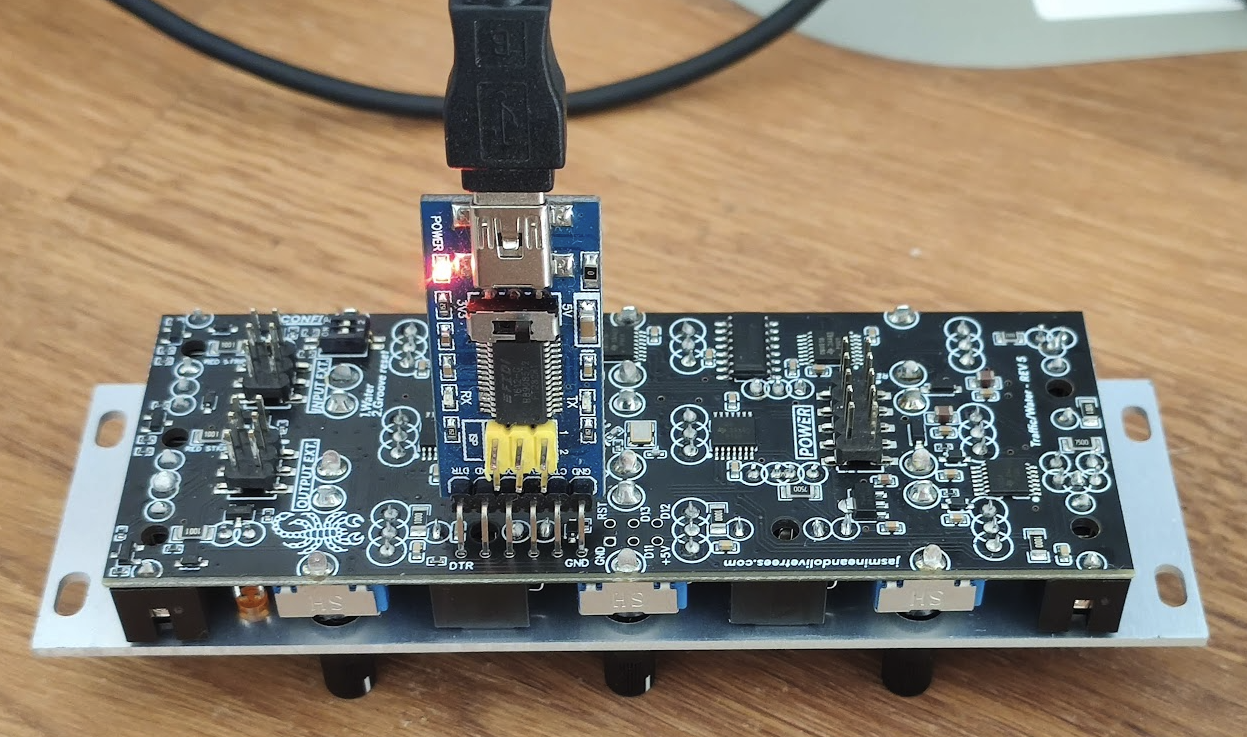
The dongle must have a 6-pin header like in the pictures below.
If you have any doubt, please contact us and we will find the correct one in your country.
Read before flashing
Switch off your case and disconnect the module completely from your case.
Connect the USB-to-serial converter to the back of the module like in the picture.
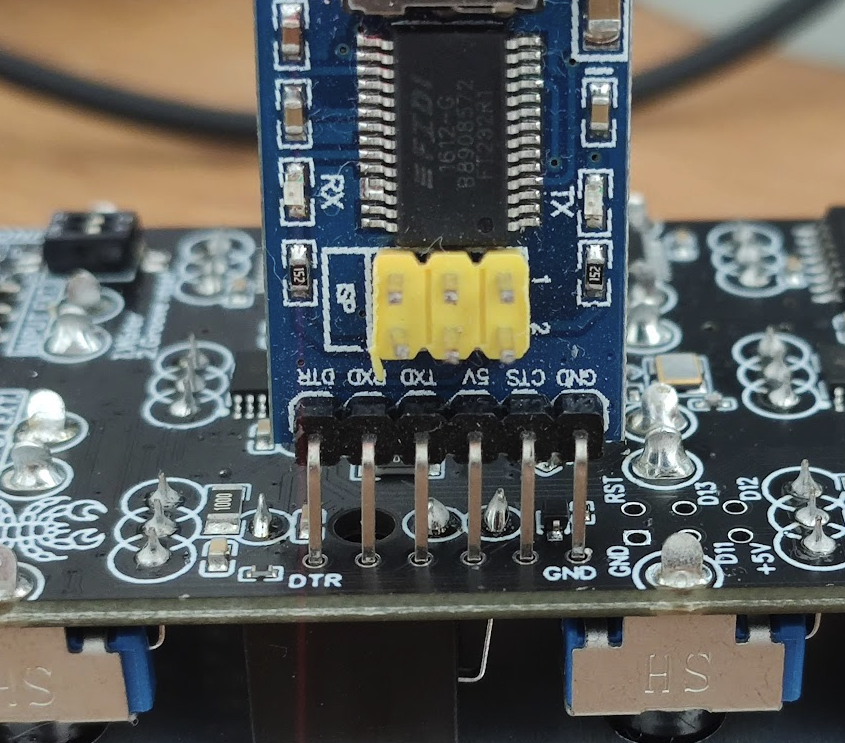
Don’t push the pins to the end of the holes as the pins might touch the metal parts of the jack beneath the Traffic board.
Make sure that the DTR pin is in the DPR hole and the GND pin is in the GND hole. See second image below.
If you encounter errors during flash, please reload the page and try again.
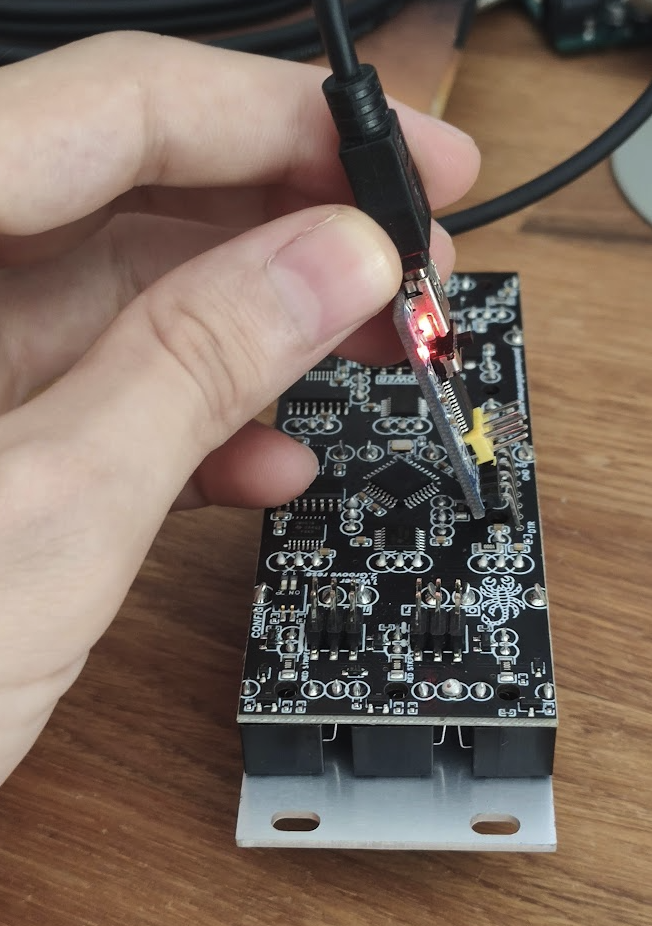
If your upload fails, reload the page and try tilting and holding the usb-to-serial converter while flashing the firmware
to ensure that the pins are touching the metal pads of the holes like in the picture: